Copy a color, get a palette
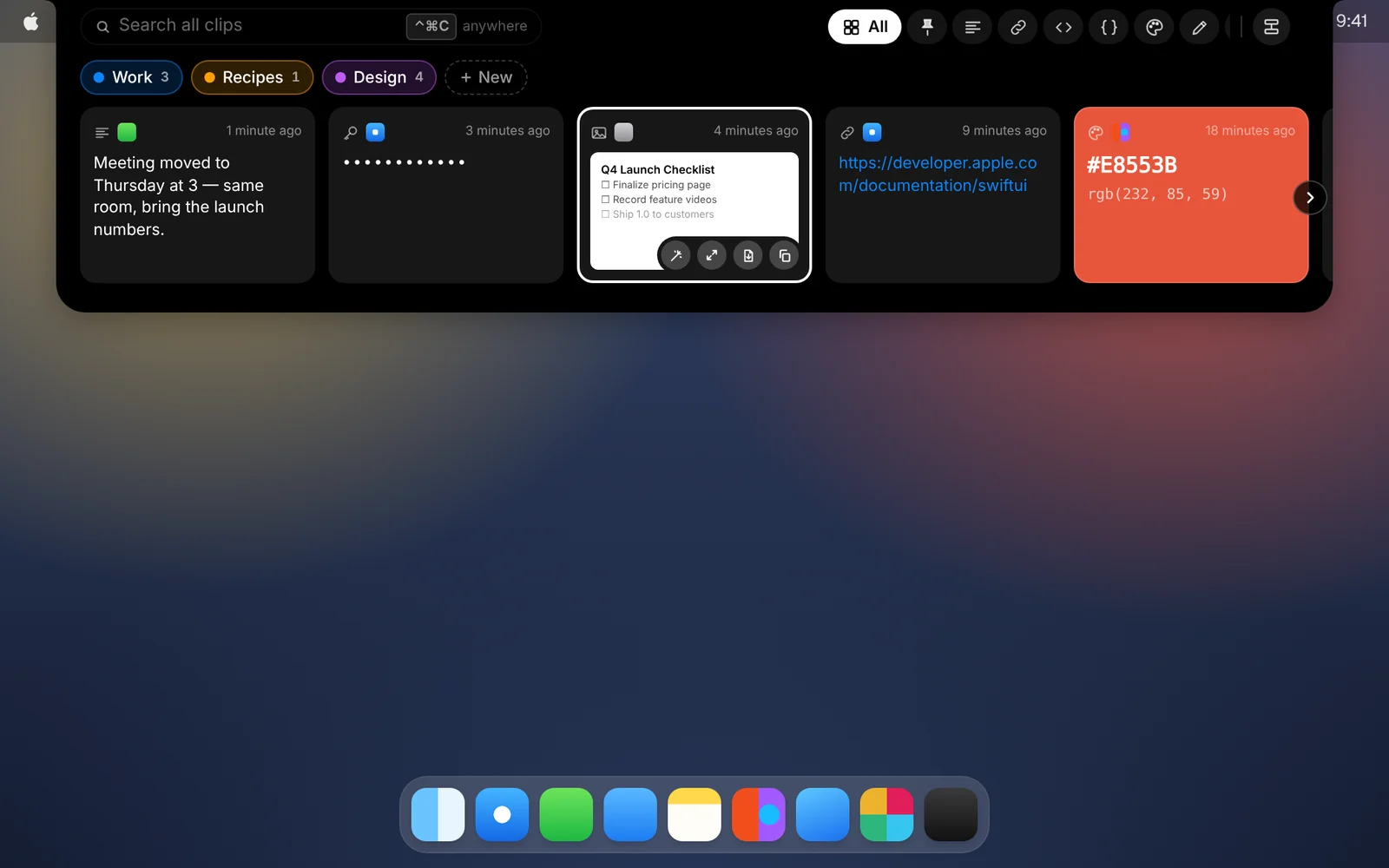
Hex, RGB and HSL values show up as color cards. Open one to fine-tune it and browse palettes that go with it.
Amas
· 1 min read
Designers and developers copy colors all day. In CopyPasta, a copied color doesn’t look like a string of characters. It looks like the color.
How it works
- Copy a color value, such as
#E8553B,rgb(232, 85, 59)or an HSL value. - It shows up in CopyPasta as a card filled with that color.
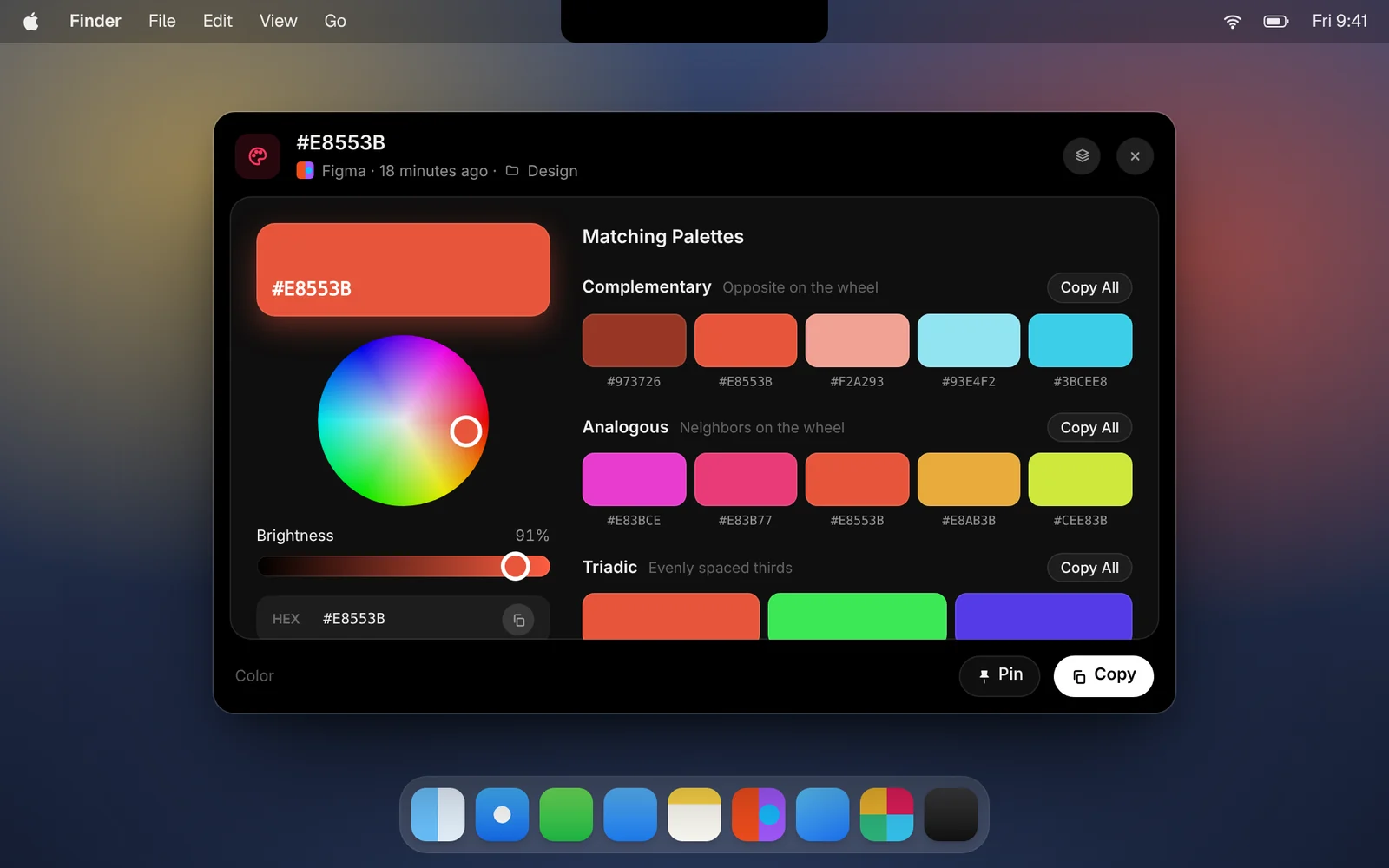
- Open the card to see it large, with its HEX, RGB and HSL values.
In the color window
- Fine-tune it. Drag on the color wheel to pick a nearby shade, and adjust its brightness. One click takes you back to the color you copied.
- Copy any format. Copy the color as HEX, RGB or HSL.
- Browse palettes. Seven matching palettes: complementary, analogous, triadic, split complementary, square, monochromatic, and shades and tints.
- Grab what you need. Click a swatch to copy its hex, right-click it for other formats, or click Copy All to copy a whole palette.
Download CopyPasta and try every feature free for 7 days. No account, no credit card.