Your clipboard, one hover away
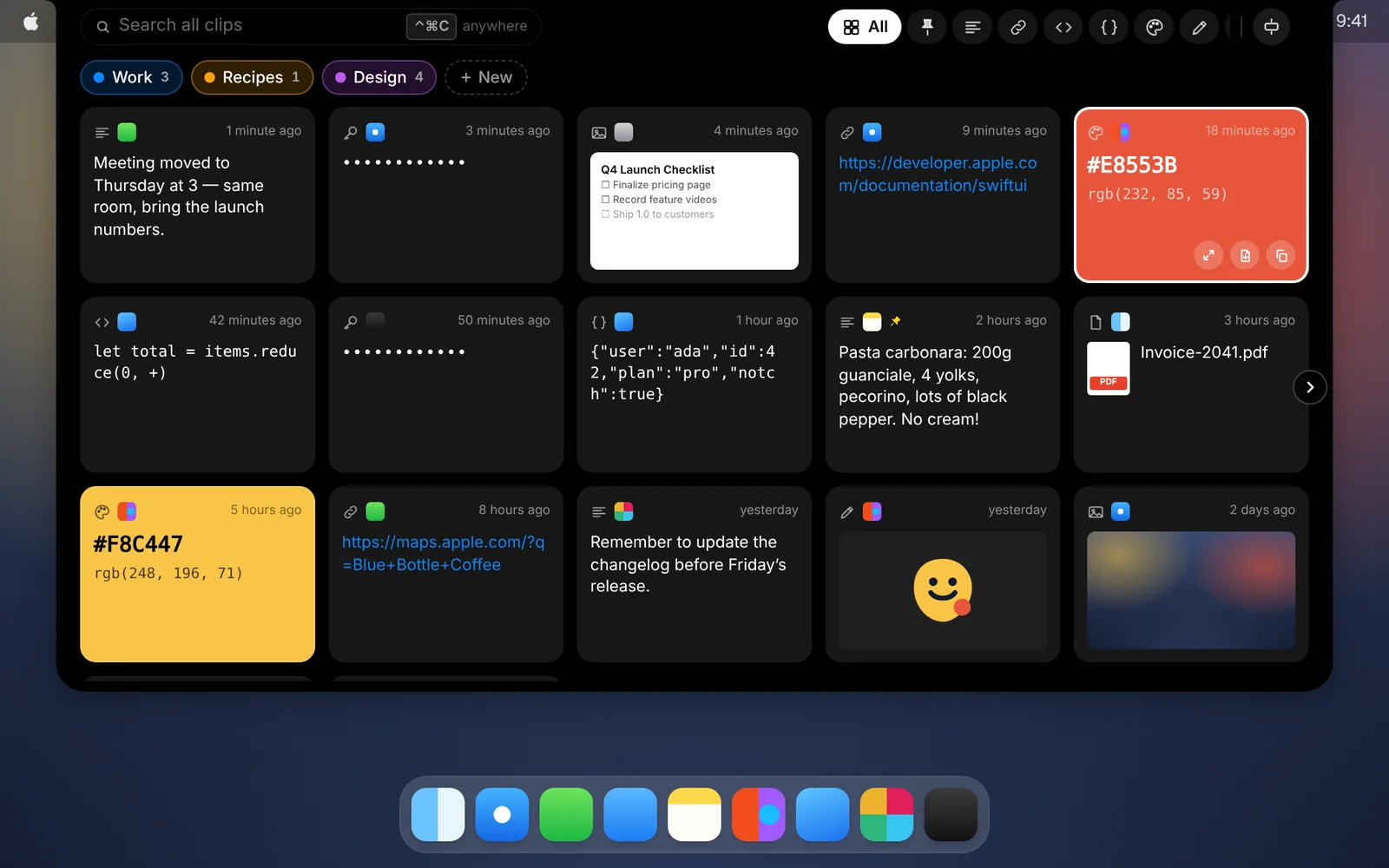
Move your pointer to the notch and everything you’ve copied drops down, right where you’re already looking.
Amas
· 2 min read
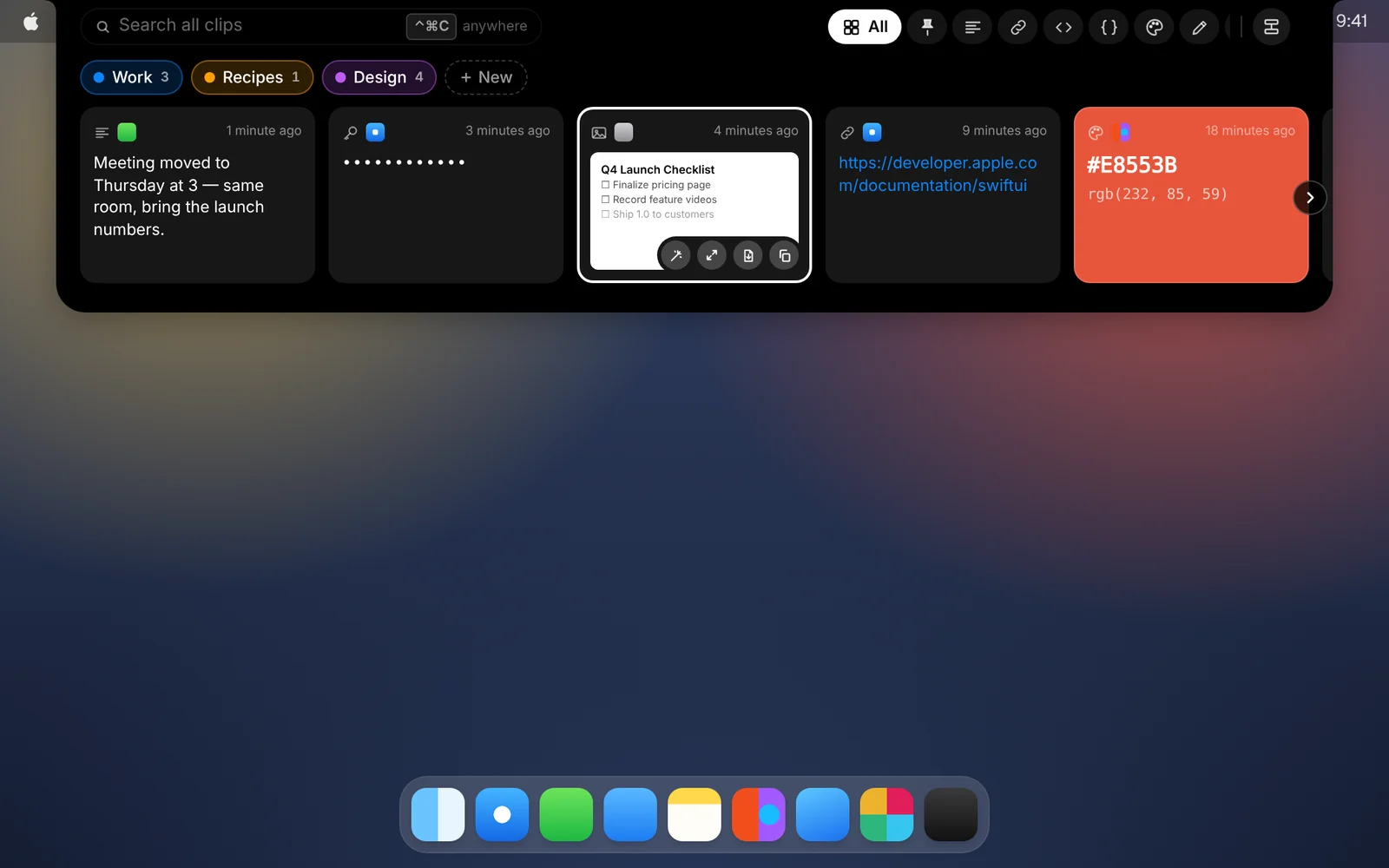
Most clipboard managers hide behind a menu bar icon or a shortcut you have to remember. CopyPasta lives in the notch at the top of your screen, so your history is always one small move of the pointer away.
How it works
- Move your pointer to the notch and rest it there for a moment.
- The shelf drops down with your latest clips, newest first.
- Click a card to select it, or press ↩ to paste it into the app you were using.
- Move the pointer away, or press Esc, and the shelf tucks back in.
Good to know
- No accidental openings. In Settings, choose how long the pointer rests before the shelf opens: instantly, a moment, a short pause or a longer pause. That way it stays shut when you’re just reaching for a menu.
- Prefer the keyboard? Press ⌃⌘C or ⌃⌘V from any app to open the shelf as a panel. Drag it wherever you like and it remembers the spot.
- No notch, no problem. On Macs and displays without one, CopyPasta uses a virtual notch in the middle of the menu bar.
- Make it yours. Pick the card size and how many cards fit in a row, or press ↓ to see three rows at once.
- Need what’s under the notch? Press Esc while hovering and the shelf stays closed until your pointer leaves, so you can click whatever is behind it.
Download CopyPasta and try every feature free for 7 days. No account, no credit card.